PaperCrane
Android app by Prami, India

A free document scanner with no ads in it.

Hold your phone over a page. PaperCrane waits until your hand is steady, takes the photo, straightens the page and saves it as a PDF. It also turns Word, Excel and text files, and web pages, into PDFs.

Needs Android 8 or newer. No account, no sign-up.
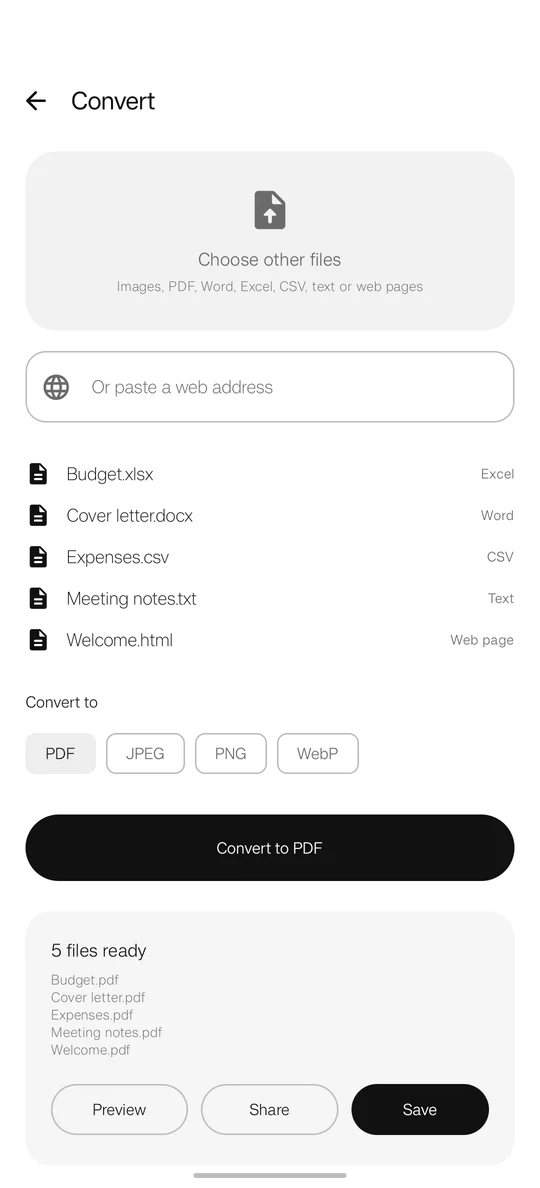
The Convert screen with five files ready to turn into PDFs
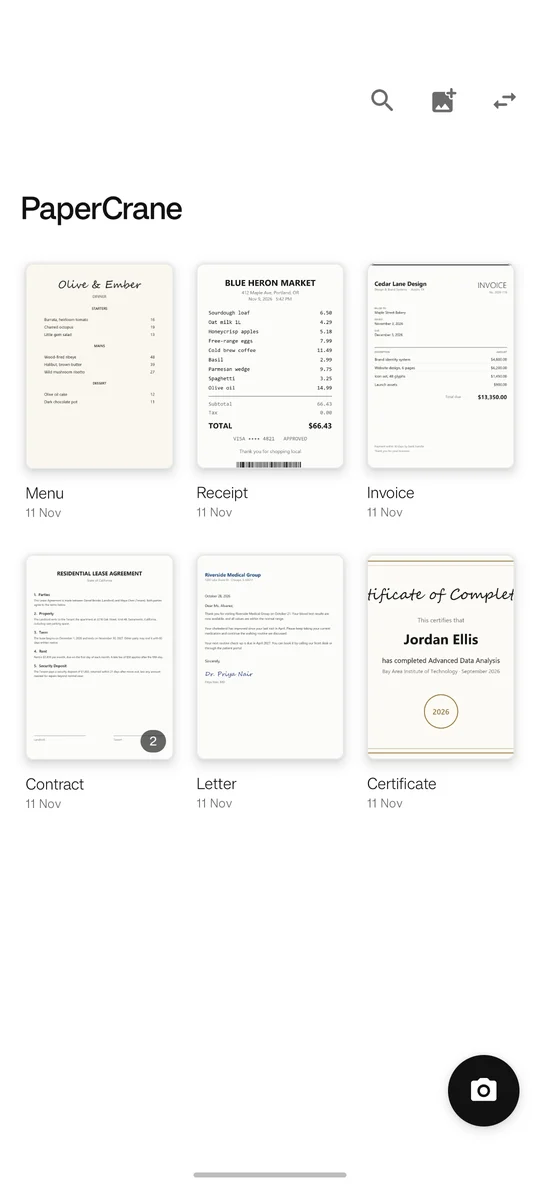
The PaperCrane library: scans named Menu, Receipt, Invoice, Contract, Letter and Certificate
01 · Scanning

It takes the photo when your hand stops moving.

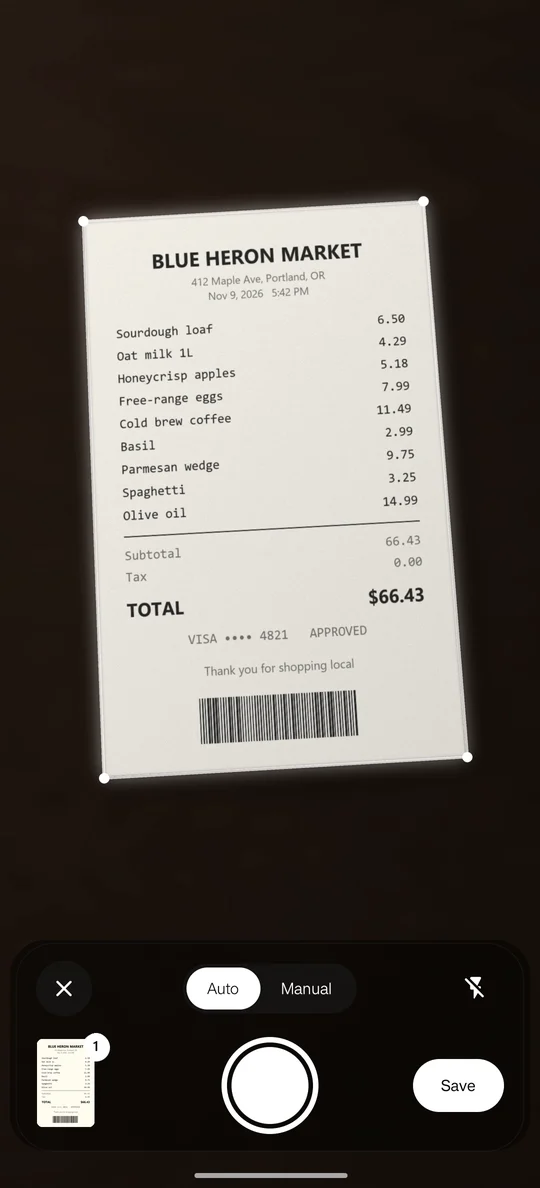
Leave it on Auto and hold the phone over the page. Once the outline settles, PaperCrane takes the picture itself. Everything outside the outline is blurred, so you can see exactly what will be saved.

Keep scanning page after page, then tap Save once. All the pages go into one PDF.

  • CaptureAuto, or Manual if you'd rather press the button
  • Dark roomsFlash button on the scanner
  • PhotosImport pictures you already took
The scanner outlining an invoice, with Auto and Manual modes
02 · Fixing a page

Rotate, filter or crop with one tap.

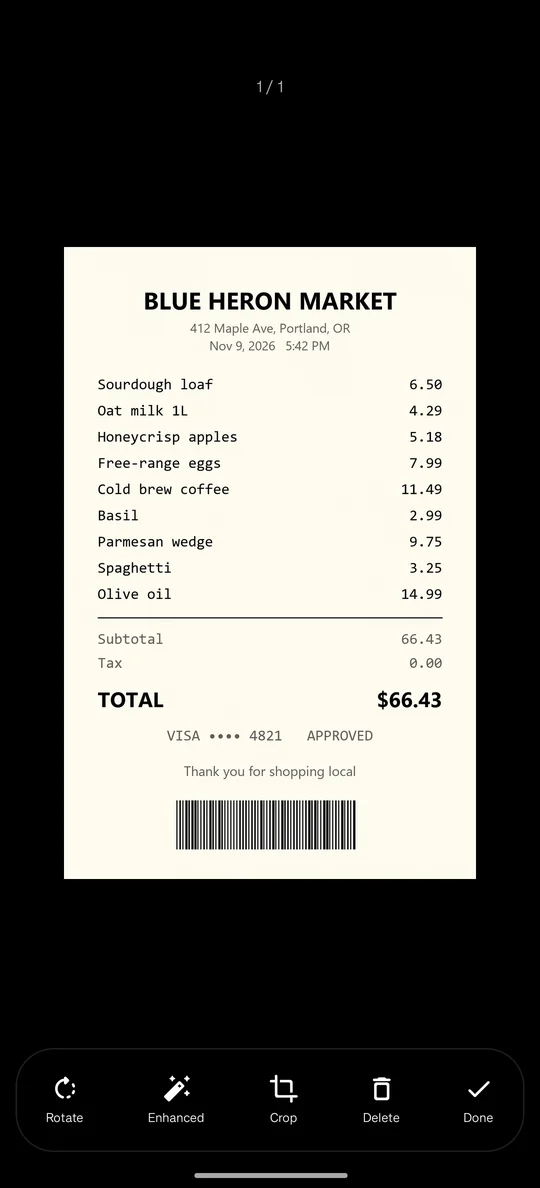
After a scan there are four buttons under the page. Rotate turns it a quarter turn. Filter switches between Enhanced, Original, Grayscale and Black & white. Crop lets you drag the four corners. Delete removes the page.

You can reorder or delete pages later from the document.

A scanned page with Rotate, Filter, Crop, Delete and Done buttons
03 · File names

Files are named after what's on the page.

PaperCrane reads the text on the page and names the file Receipt, Invoice or Contract instead of a string of numbers. If it can't tell, the file is called Scan. You can rename anything.

Each document can be saved or shared as a PDF, or as JPEG, PNG or WebP images.

04 · Converting

It converts files, not just paper.

Pick one file or several, choose PDF or an image format, and preview the result before you save or share it.

You give itYou get
Word document (.docx)PDF
Excel sheet (.xlsx) or CSVPDF
Text file (.txt) or HTMLPDF
Photos: JPEG, PNG, WebP, HEICPDF, or another image format
PDFOne image per page: JPEG, PNG or WebP
A link to a web pageThe whole page as a PDF
05 · Privacy

What it asks for, and why.

  • CameraTo scan pages.
  • InternetOnly when you paste a link to turn into a PDF. The page is downloaded straight to your phone.

There are no ads, no account and no analytics in the app. Scans and converted files stay on your phone unless you share them. Read the privacy policy.

06 · Demo

See it working in 50 seconds.

Open on YouTube · Prami's YouTube channel

07 · Contact

A page won't scan? Tell us.

PaperCrane is made by Prami in India. Questions, bugs and ideas all go to the same place.

Phone
+91 91119 90107
Email
PramiCorporation@gmail.com
YouTube
Prami